
How to Update SolidCP 1.4.8 to 1.4.9
02 - 02 - 2023SolidCP 1.5.1 adds Windows Server 2025 and Hyper-V 2025 support, DNS improvements and fixes for mail and DNS providers.
At the time of this release, the planned multi-platform .NET release still needed further testing and debugging. See the SolidCP 1.5.1 release notes on GitHub for the detailed changelog.
Release highlights
- Microsoft Windows Server 2025 support.
- Native SmarterMail v100+ API support and added features.
- DNS enhancements, including TTL settings per record.
- SimpleDNS and MailEnable fixes.
- Support for lengthy DKIM records in BIND and PowerDNS.
- Microsoft SQL Server 2022 support in the installer.
- Hyper-V 2025 support and enhanced features.
How to update
The release recommended the PowerShell update script as the fully supported automated method. Administrators could also use the manual update guide, including when troubleshooting an automatic update.
Portal web.config change
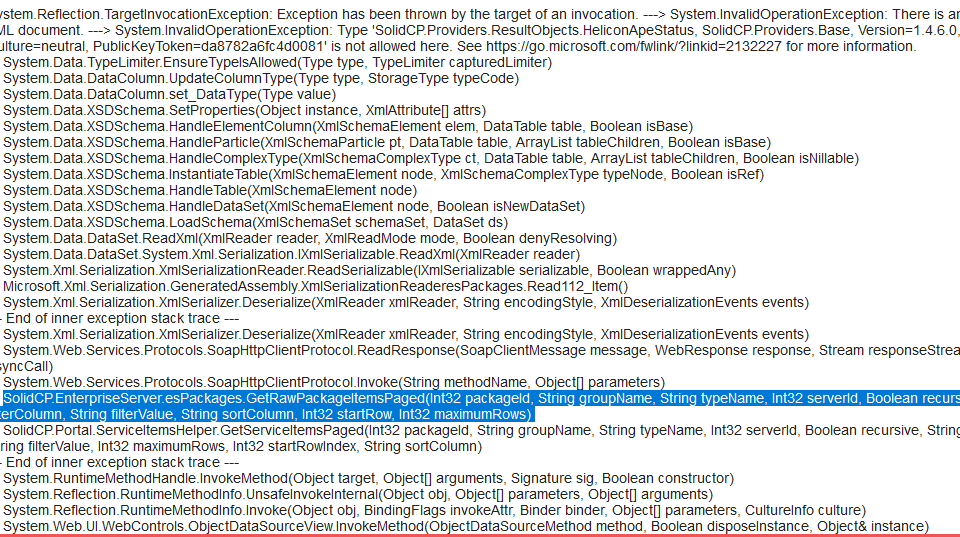
For a manual update to 1.5.1, the release notes instructed administrators to change the Portal web.config entry below. The version in the original entry corresponds to the version previously installed; 1.4.9.0 is an example.
<add type="SolidCP.Providers.ResultObjects.HeliconApeStatus, SolidCP.Providers.Base, Version=1.4.9.0, Culture=neutral, PublicKeyToken=da8782a6fc4d0081" />Change it to:
<add type="SolidCP.Providers.ResultObjects.HeliconApeStatus, SolidCP.Providers.Base, Version=1.5.1.0, Culture=neutral, PublicKeyToken=da8782a6fc4d0081" />Using the installer
Installer caution: The announcement warned that the installer deletes the scheduler configuration from the Enterprise bin directory. Back up that file and stop the scheduler service before updating Enterprise, then restore the file to the bin folder after the update.
The web.config files also need to be updated manually to their new values, following the steps in the manual update guide.
The team thanked the community for its patience and support.

- Co-Founder and CEO of SolidCP.
- More then 15 years of experience with Windows high availability and Microsoft Exchange.
- More then 15 years of experience with Linux and Unix.
- Open source enthusiast and a large contributor for multiple Open Source projects including SolidCP.
- My current main focus of attention is Geo-Clustering and scaling.
SolidCP - Opensource multi server control panel :: https://solidcp.com